Device Hub

Every device in your plant, managed from one screen.

The Device Hub is the heart of Nisthora. It is where you connect edge devices and PLCs, check they are talking, choose which readings to collect, and keep an eye on their health. No code, no config files.

Connect

Add a PLC in a few clicks.

Pick the edge device, choose the protocol, type the PLC's address and press Test Connection. You see straight away if it answers.

  • Protocols: OPC UA, Modbus TCP, Siemens S7, EtherNet/IP, MQTT Sparkplug B and HTTP
  • Each device is tied to the plant it belongs to, so the right people see it
  • A guided first-run screen walks a new technician through the steps
  • One edge device can read many PLCs; ten is normal
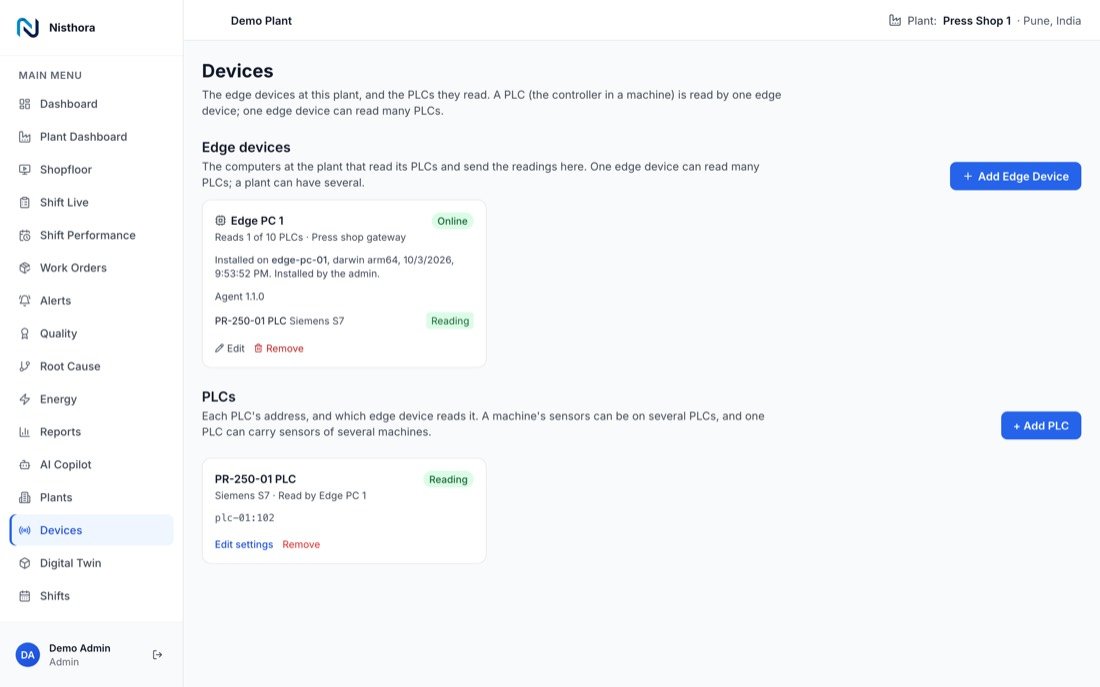
Device Hub listing edge devices and PLCs with their connection status
Discover

Find the readings. Do not type them.

Press Discover Tags and the Device Hub asks the PLC what it can share. Pick the readings you want and link each one to a machine.

  • Tags (named readings inside a PLC) are listed for you, with their type
  • Link each reading to a machine and give it a unit, such as °C or parts
  • One PLC can feed sensors on several machines, exactly as plants are wired
  • Mark which readings are counts, run signals and rejects, so OEE works on day one

Words used here

  • PLC: the controller inside a machine.
  • Tag: one named value inside a PLC, such as PartsProduced.
  • Sensor: a tag linked to a machine in Nisthora.
  • Edge device: the computer in the plant that reads the PLCs.
Tune

Send what matters, not everything.

Set a deadband (a minimum change worth reporting) on each reading. A steady temperature is not sent again and again. A change in quality is always sent.

  • Report by exception keeps the network quiet
  • A forced update on a schedule proves a steady sensor is still alive
  • Counters and run signals are always sent in full
  • Settings sync from the Device Hub to the edge device automatically
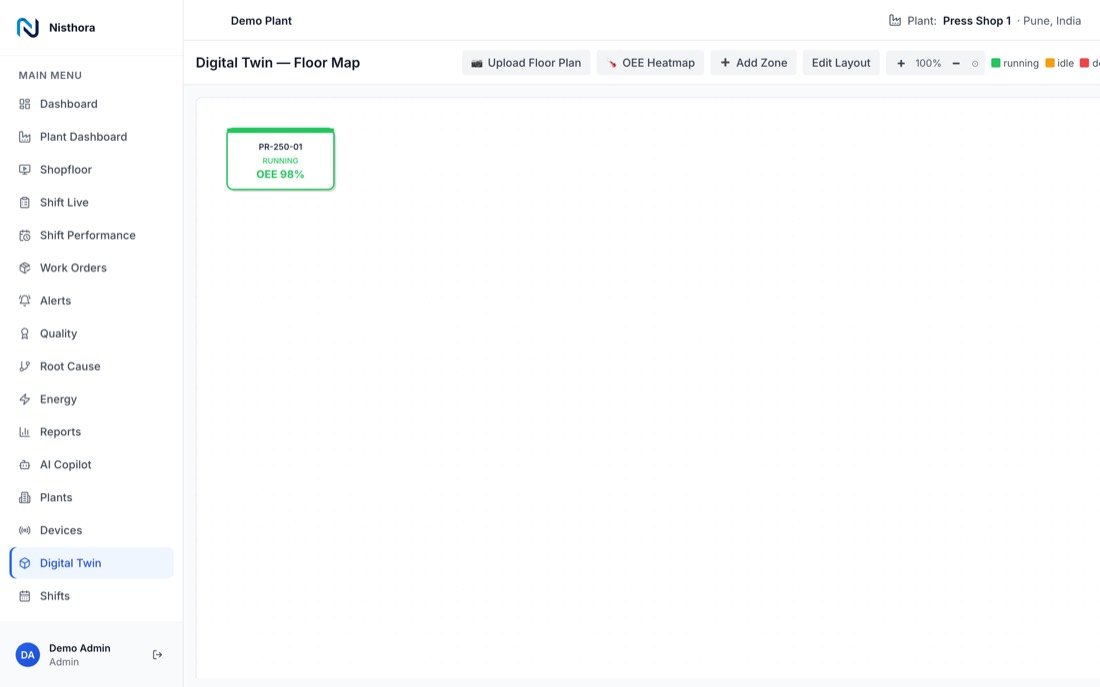
Digital twin floor plan showing machines placed on the plant layout
Look after

See the health of every device.

The Device Hub shows which edge devices are connected, when they last reported, and which agent version they run.

  • Live connected or offline status for each edge device and PLC
  • Install codes and the one-time install command, for the platform admin only
  • Update the edge agent remotely, without a visit to the plant
  • Nothing is edited by hand at the plant, so every site stays the same

Who can do what

  • Technicians and admins add PLCs and readings.
  • Only the platform admin creates install codes for new edge devices.
  • Everyone else can see device status for their own plants.
Supported protocols

Speaks your machines' language.

ProtocolTypical equipmentHow Nisthora reads it
OPC UAModern PLCs and SCADA servers from most makersSubscribes or polls named nodes
Modbus TCPEnergy meters, older PLCs, drives, many controllersPolls registers by address
Siemens S7Siemens S7-300, S7-400, S7-1200, S7-1500Reads data blocks directly
EtherNet/IPAllen-Bradley / Rockwell controllersReads tags by name
MQTT Sparkplug BModern gateways and smart devicesSubscribes to the device's topics
HTTPDevices and systems with a web APICalls the endpoint on a schedule
FAQ

Device Hub questions

Do I need to change the PLC program?

Usually no. Nisthora reads values the PLC already holds. If a count or state is not available yet, your controls engineer can expose it as a tag.

Can one edge device read machines from different makers?

Yes. One edge device runs several drivers at once, for example Siemens S7 for one line and Modbus for the energy meters.

What if a PLC goes offline?

The Device Hub shows it as offline, so the problem is visible at once. The other PLCs on the same edge device keep reporting as normal.

Who sets this up?

A technician, through screens. No developer is needed.

See Nisthora on your own machines.

Book a demo. We will show you live data and talk through your machines, lines and shifts.

Book a demo